
YourAItoolsknowwhatyoudid.
AscendaFlowhelpsyouunderstandhowyouworked.
Itreadsthedemandyourworkalreadyemits—retries,compaction,loopdepth—andneverclaimstoreadyourmind.
Cursor · VS Code · Claude Code · local AI
Private by design. Taking on a small group of design partners before launch.
This is the product. Not a render of it.
Real screenshots, twelve weeks of real work-pattern data. Built for AI engineers working across Cursor, VS Code, Claude Code, terminal, browser, and meetings — where the conditions behind a dialled-in day are otherwise easy to miss. Which of it was actually flow is named by you, not scored by us.
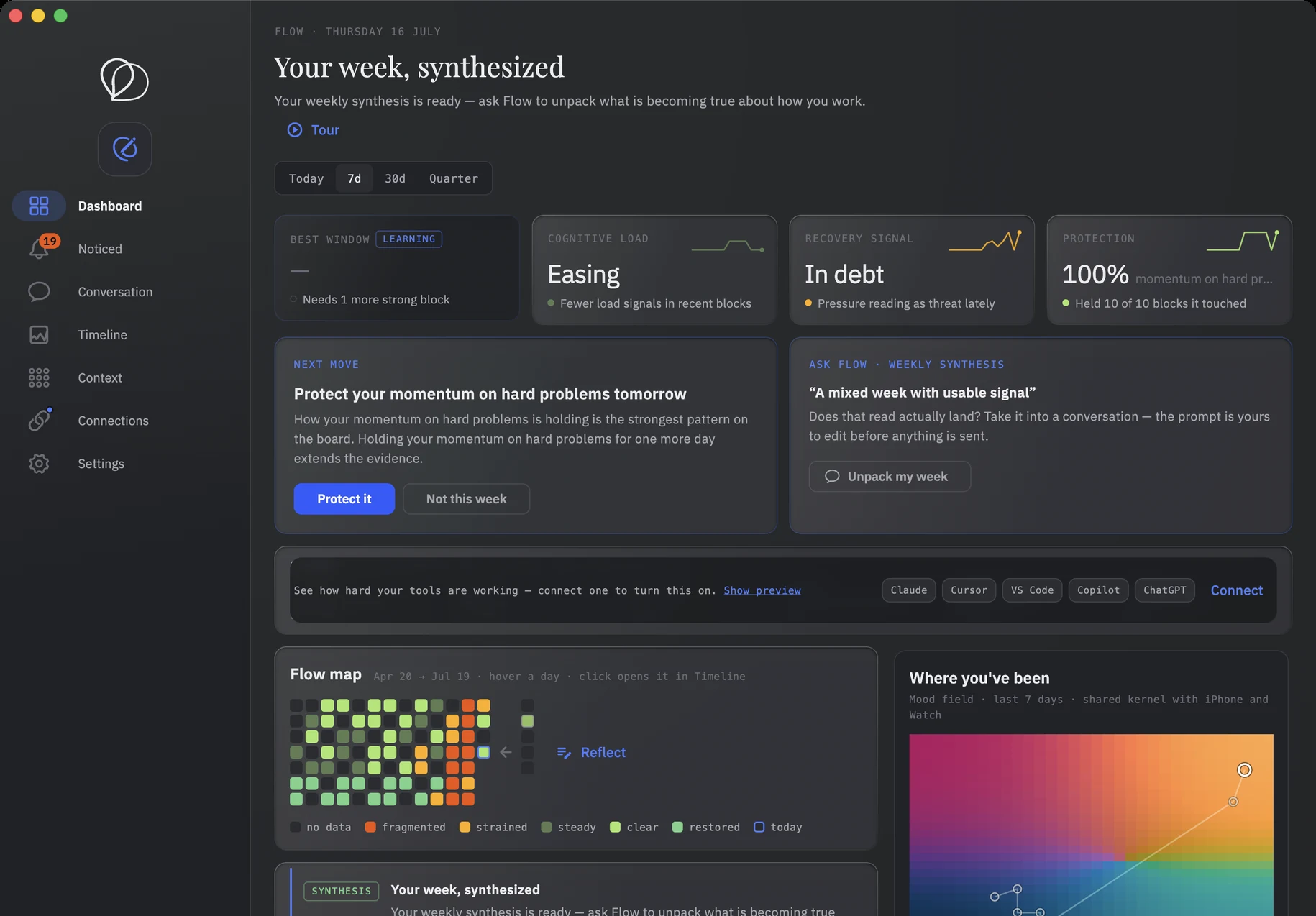

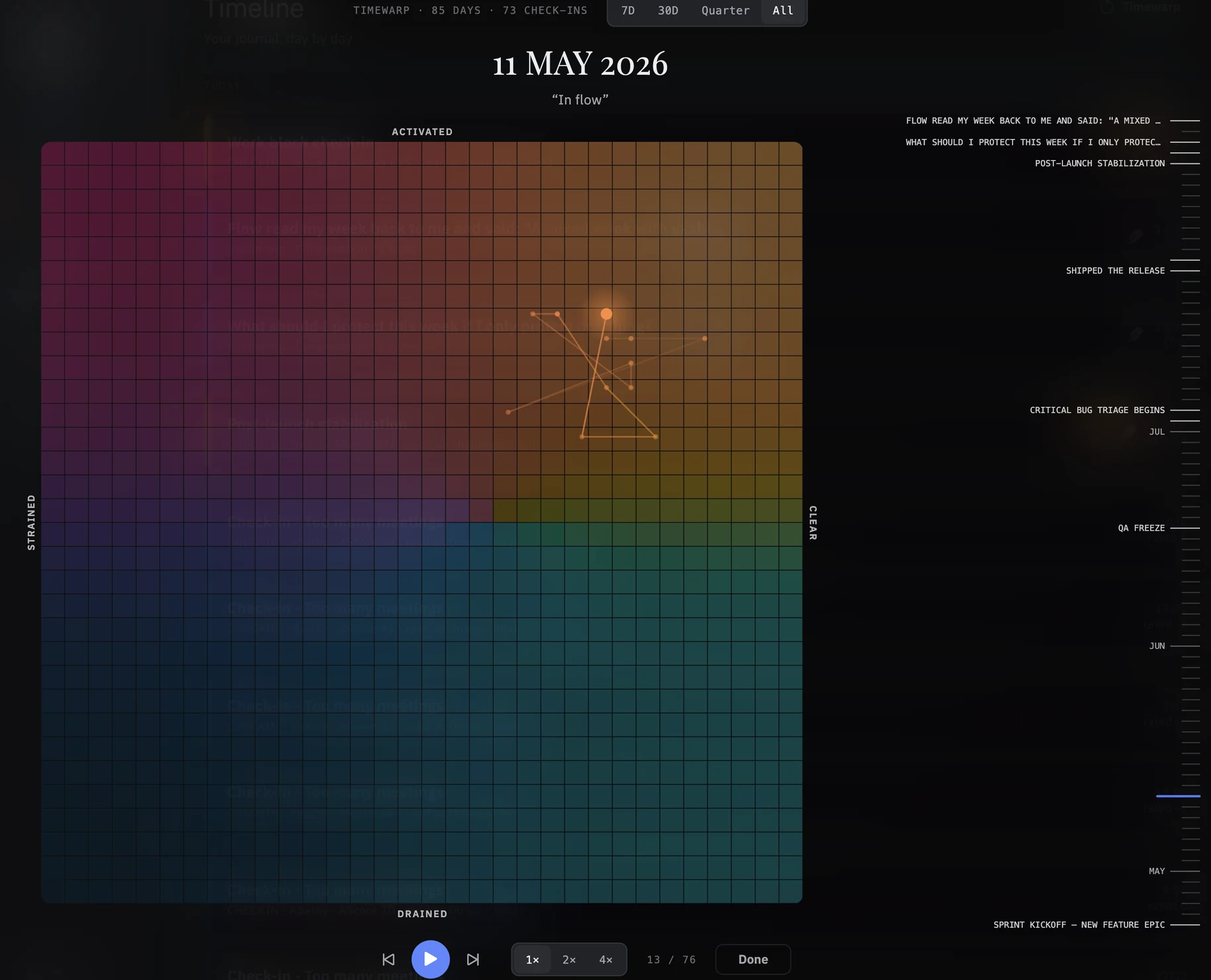
See your best hours
When uninterrupted deep work actually happens, and how long it lasts before friction sets in. Locked-in hours, made visible.
Protect the block
How often messages, meetings, and tool switches break a session. Name the interruption cost, then decide what to protect next week.
Name the flow
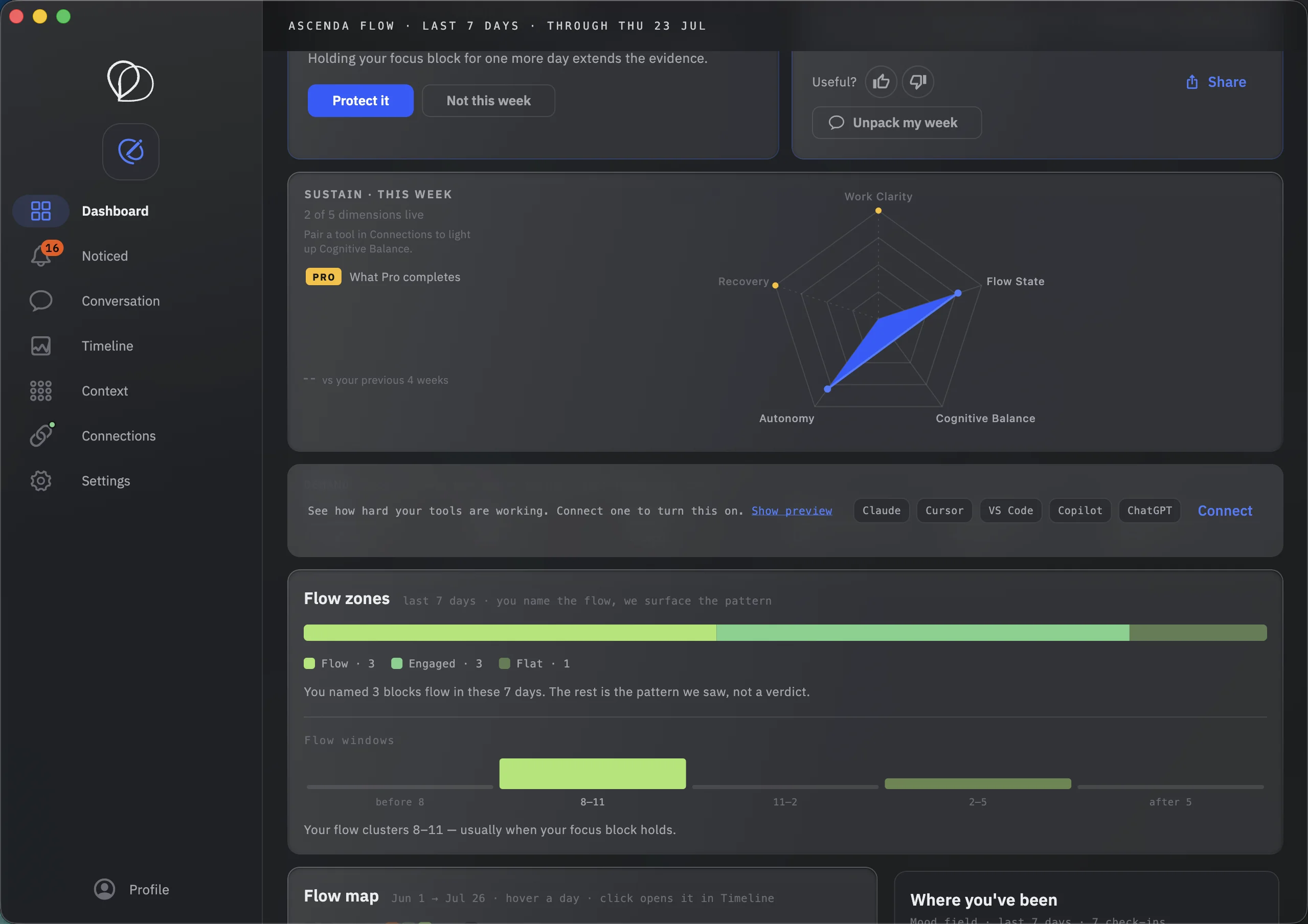
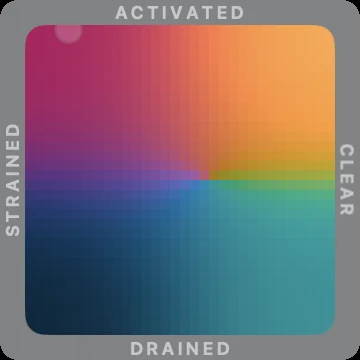
Time in Flow, Engaged, Strained, and Flat — named by you in check-ins, surfaced as pattern. Not a verdict, not a score.
Three kinds of instrument watch people work.
Each one makes a different claim about you. Only one of them is checkable.
Wellness apps
“We know how you feel.”
A claim nobody can verify, wearing a daily score. This audience already left over it.
Bossware
“We know what you did.”
Output measured in exquisite detail — for someone else. The folk memory is a manager reading your dashboard back to you.
Ascenda Flow
“We know what the work demanded. How it felt is yours to say.”
The demand of the work is measurable. The state of your mind is yours. Flow is built entirely inside that split.
Modern work instruments the computer. Not the person running it.
The quarter looks strong. The hardware running it doesn't. Output is instrumented everywhere; the cost side of AI-assisted work isn't — retries, checking, loop-steering, fragmentation. Ascenda Flow reads the demand the work already emits. It never claims to read how you feel.
84% OF AI-ASSISTED ENGINEERS REPORT PRODUCTIVITY GAINS — WHILE THE SHARE REPORTING A WORSE WORKING EXPERIENCE DOUBLED FROM 14% TO 27% IN SIX MONTHS.
Vella & Blincoe · longitudinal study
AI MAKES THE EASY PART EASIER AND THE HARD PART HARDER: HEAVIER REVIEW, MORE CONTEXT TO HOLD, DECISIONS THAT NEVER SHOW UP IN A COMMIT LOG. NONE OF IT IS VISIBLE TO A DASHBOARD.
Market research · engineer cohort
DEVELOPERS USING AI TOOK 19% LONGER WHILE BELIEVING THEY WERE 20% FASTER.
METR · Cursor RCT, 2025
Connect a tool. Work normally. Ask your week anything.
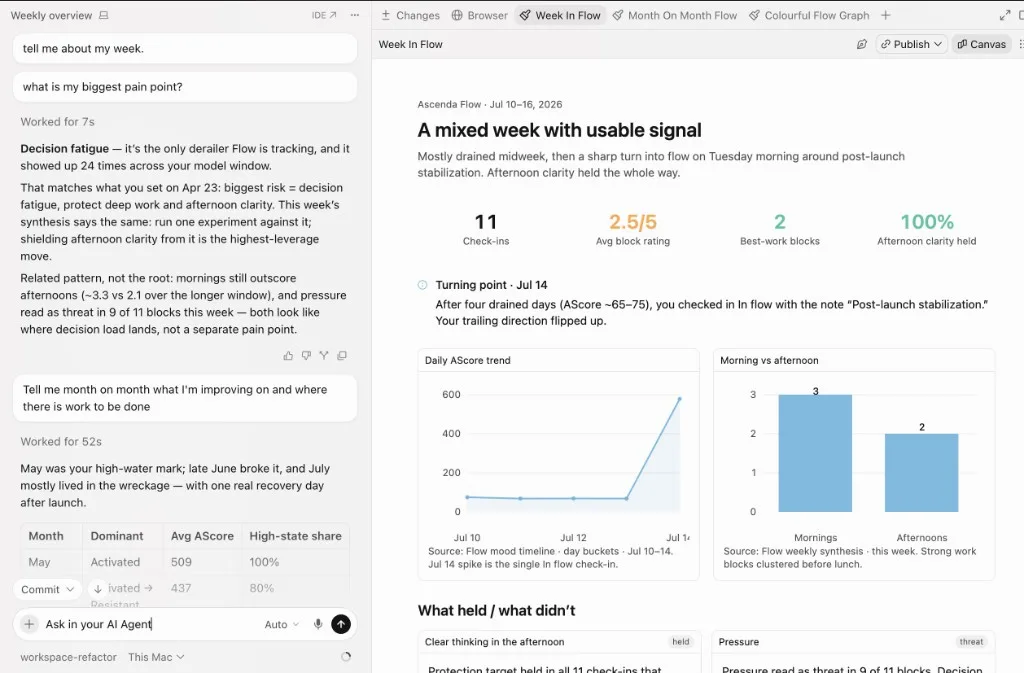
Patterns you'd miss without an interpretation layer.
Examples of what Ascenda Flow can surface as your first week takes shape: work-pattern signals that make you think, “it noticed something I didn't.”
You do your best uninterrupted work between 8:30 and 10:45.
Three consecutive days showed the longest deep-work windows here. Meetings after 11am consistently fragment the rest of your morning.
Interruption density spikes after your second meeting block.
The working pattern changes after back-to-back calls: more tool switching, shorter focus blocks, and a slower return to deep work.
Your flow clusters 8–11 — usually when your focus block holds.
The circadian window where you named flow most often. Late afternoon stays more fragmented.
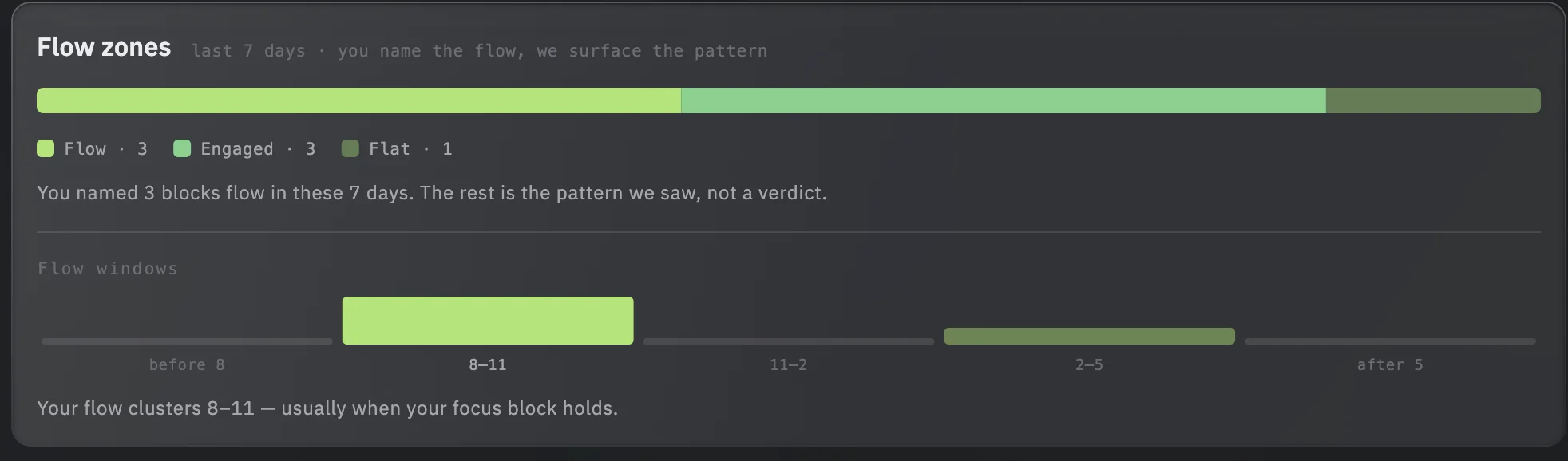
Evidence compounds.
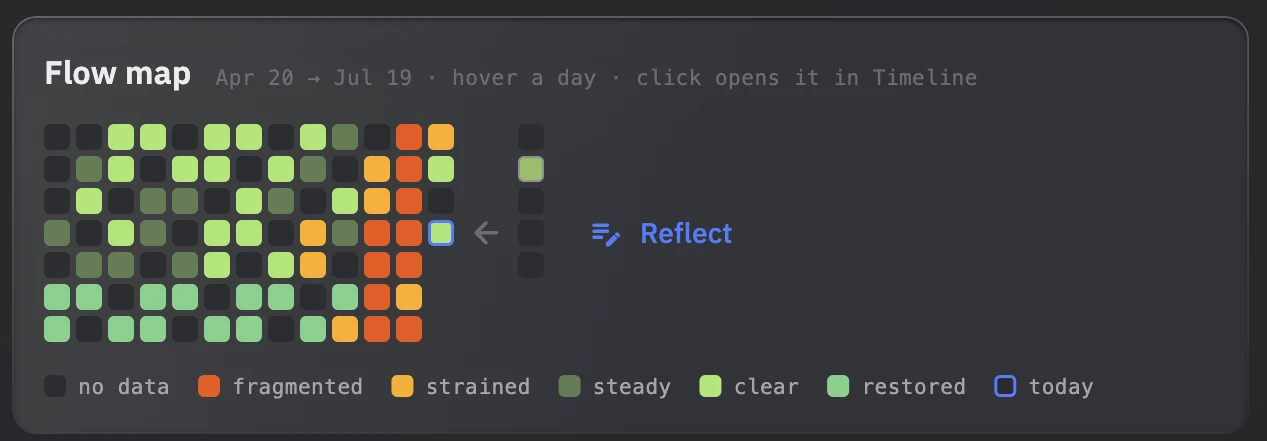
Your history compounds
Every workday adds signal. Free sees your day. Over time, Flow builds a personal model worth keeping.
Patterns get personal
Zones and windows sharpen from your check-ins and the demand your tools emit: when you named flow, what broke a block, and which hours are worth protecting.
Reflections sharpen interpretation
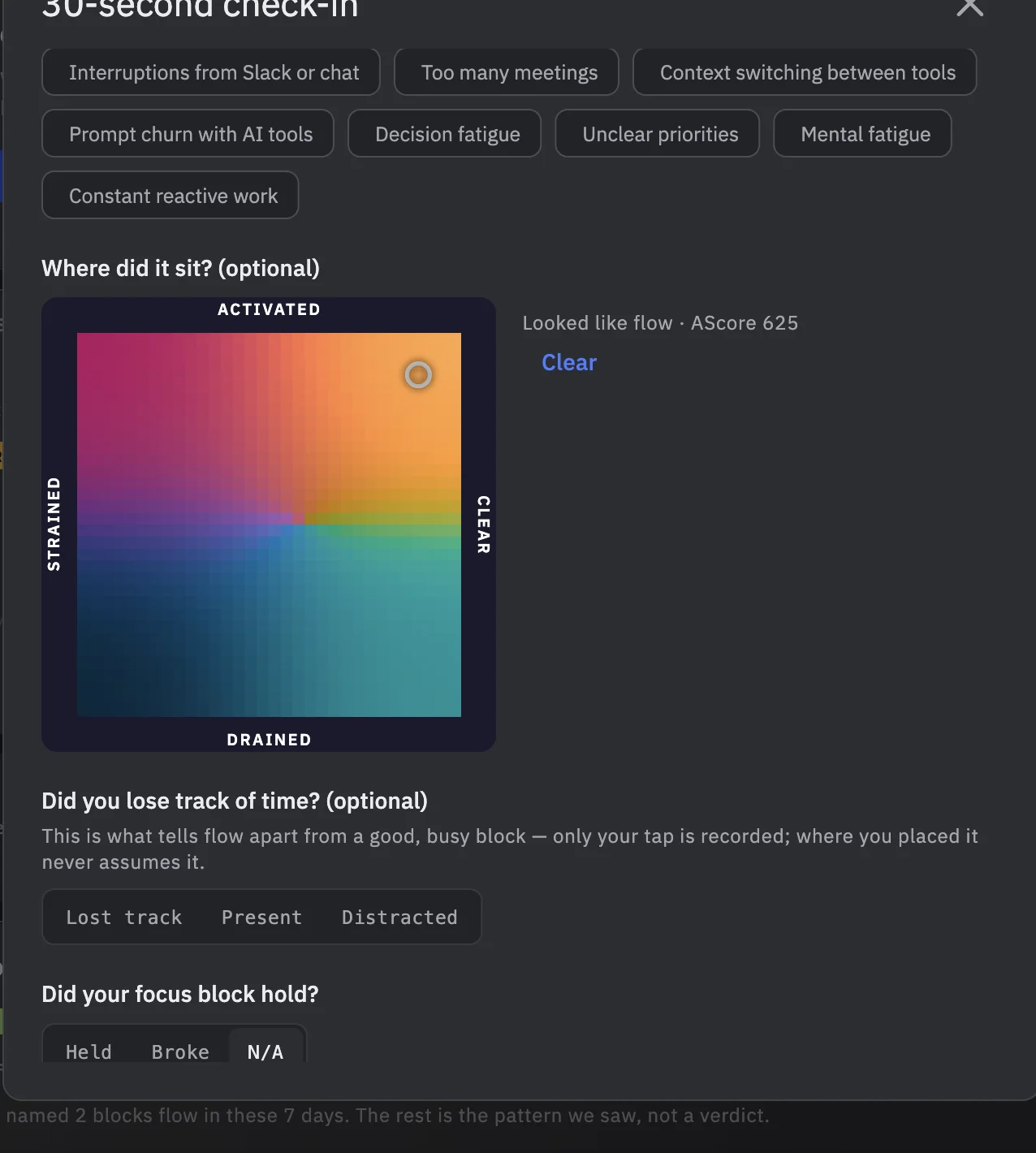
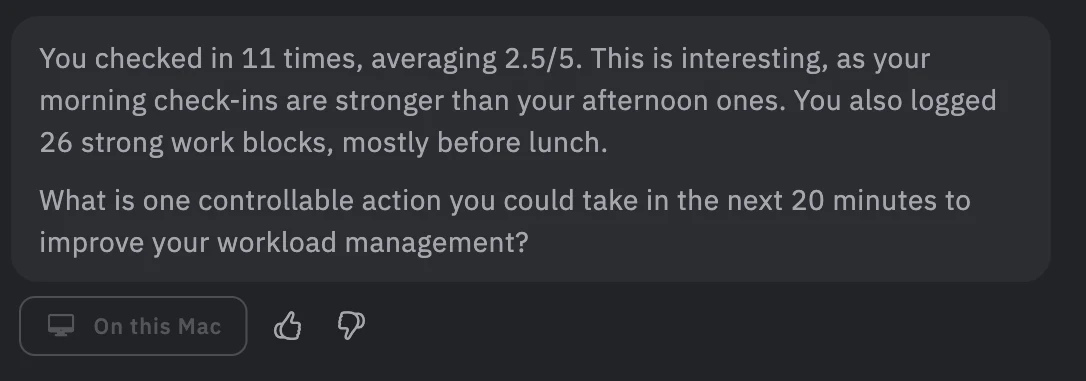
Lightweight check-ins add context that raw activity data can't capture. Your reflections make the next insight more accurate.
What actually helps?
Small changes, tracked over time. Flow shows whether protecting a morning, batching meetings, or changing a prompt loop actually helped.
The posture is structural. Not a policy page.
Each refusal has a mechanism. That is the trust story: performed, not asserted.
No fabricated data
Provenance on every value. If you didn’t say it, it isn’t stored as said. When there isn’t enough signal, Flow says so instead of guessing.

No scores
No number to satisfy — not a productivity grade, not a personality profile, not a rank. None, not hidden ones either. Patterns, not verdicts.
No streaks, no guilt
A missed day is recorded as nothing, not as failure. There is nothing to keep alive, and nothing to lose on a Friday.
No nagging
One prompt a day at most, never mid-block. Declining is honoured with a long cooldown. Protecting a block means not being the thing that breaks it.
No emotion inference
The check-in is you telling Flow how the work felt. It never concludes your state from telemetry, and it never stores what you didn’t say.
No manager view
There is no employer access to any individual — structurally absent, not restricted. Ascenda Flow is your instrument alone.
No training on your data
Your patterns never train shared models. Flow builds a model of you, for you, and what it learns stays yours.
No countdown anything
The free product is complete, not a teaser. No trial clock, no history cliff, nothing that expires because you didn’t pay.
Don't take this page's word for it.
Every claim above has a check. Run them.
“Your words stay on your Mac.”
The exact claim, unshortened: your journal and reflections stay on this Mac unless you turn on sync. What leaves by default is operational shape — counts, timings, tool events — never your words.
Read the full data page“We can list everything that leaves.”
The data page lists what leaves by default, what can leave only if you opt in, and what never leaves at all — as a list you can hold us to, not a policy paragraph.
See the list“The traffic matches the list.”
Don't take the list on faith. Proxy Flow's HTTPS traffic and compare it against the published shape — operational counts and timings, never journal text.
The schema is on /trust“No organisation ever sees an individual.”
The aggregation rules are published: opt-in per person, minimum group size of ten, cohort aggregates only. Below the floor there is no signal — not limited signal.
Read the published rules“We welcome hostile review.”
Auditing in depth? Write to privacy@ascenda.one. Negative findings are the feedback we need most.
privacy@ascenda.oneThe collectors are not open source yet. When that changes, this section gets a repository link and “read what leaves” becomes a one-click check. Until then the traffic is checkable the hard way — and we would rather say that plainly than point at a repo that isn't public.
Sensitive data deserves a serious privacy posture.
Your journal and reflections stay on this Mac unless you turn on sync. What leaves by default is operational shape: counts, timings, tool events — never your words. How Flow handles your data.
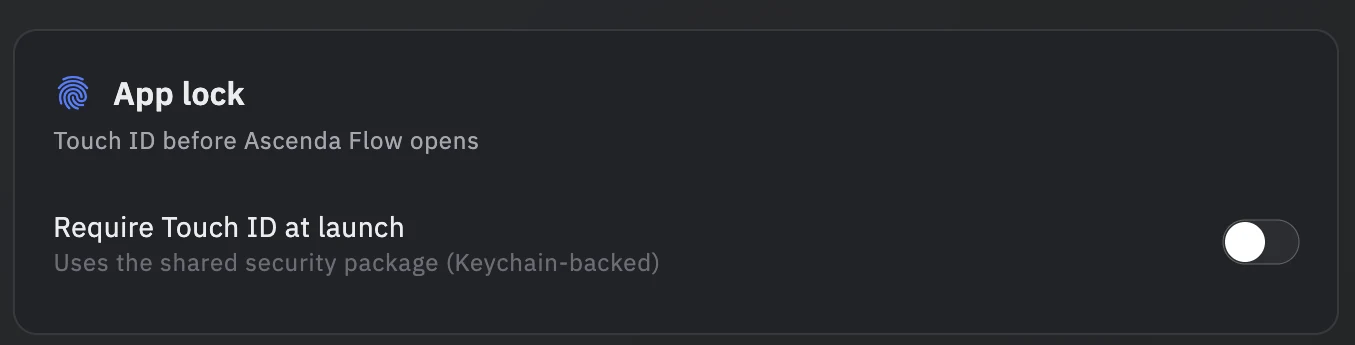
Your data stays yours
Work-pattern data is stored on your Mac in an encrypted database and never sold. Touch ID can stand between launch and your journal.
Not surveillance
Ascenda Flow is a personal intelligence layer. You tell it how work felt — it doesn't watch over your shoulder.

No shared model training
Your patterns are never used to train shared models. Flow builds a starting model of you, for you, and what it learns stays yours.

You stay in control
Nothing speaks for you. When Flow drafts a conversation from your data, it's prefilled, never auto-sent. You read and edit before anything goes anywhere.

Your questions, answered directly
Build it with us
We're taking on a small group of design partners: the Mac build ahead of launch, free while we build together, and a direct line to shape what ships. Twenty minutes to talk through your setup.
Built inside the same work it instruments.